
MATCH TWO LISTS · 4 MIN READ
Match names between two lists with typos in Google Sheets
Start with an exact match after basic cleanup. Use fuzzy matching for the spelling differences that remain, and check another field before treating two names as the same person.
First, try a cleaned exact lookup
Keep your original tabs. In this example, Contacts and Directory each have names in column A. Add a helper column B to both tabs, and put the directory’s customer ID in column C.
- In B2 of each tab, enter the formula below and fill it down through the data. It standardizes case and ordinary spaces; it does not repair a spelling mistake.
=LOWER(TRIM(A2))In Contacts!C2, look up the cleaned name and return the directory ID:
=IF(B2="","",IFNA(VLOOKUP(B2,Directory!$B$2:$C$1000,2,FALSE),"Review"))Fill down, changing row 1000 to your last directory row. These formulas use English function names and comma separators; some spreadsheet locales use semicolons. Google’s TRIM reference explains the whitespace behavior.
Avery Morgan and Avery Morgan become the same cleaned text. Jon Bell and John Bell still need review. Two people named Avery Morgan can also be different people.
Filter the Review rows and compare them with the directory. Use email, customer ID, company or another reliable field where possible. The lookup returns the first exact result; it does not resolve duplicate names. For a small list, this manual pass may be all you need. Google’s VLOOKUP reference covers exact lookup behavior.
Then review typo matches with TypoMatch
Once installed, open TypoMatch’s sidebar and choose Match two lists. Select both tabs and bounded ranges, mark the header rows, and pair the name columns. Add a second key such as company when that helps distinguish people. Select the customer ID as a returned column.
Start at similarity 86 and enable the cleanup options appropriate to your data. Check the scored preview, especially close alternatives and candidate-limit warnings. Lowering the threshold produces more possibilities and more false matches. Save to a new results sheet when satisfied; your original names remain unchanged.
Free allows 1,000 total source-plus-lookup rows per run. Both lists must be tabs in the same spreadsheet. Learn more about fuzzy lookup versus VLOOKUP.
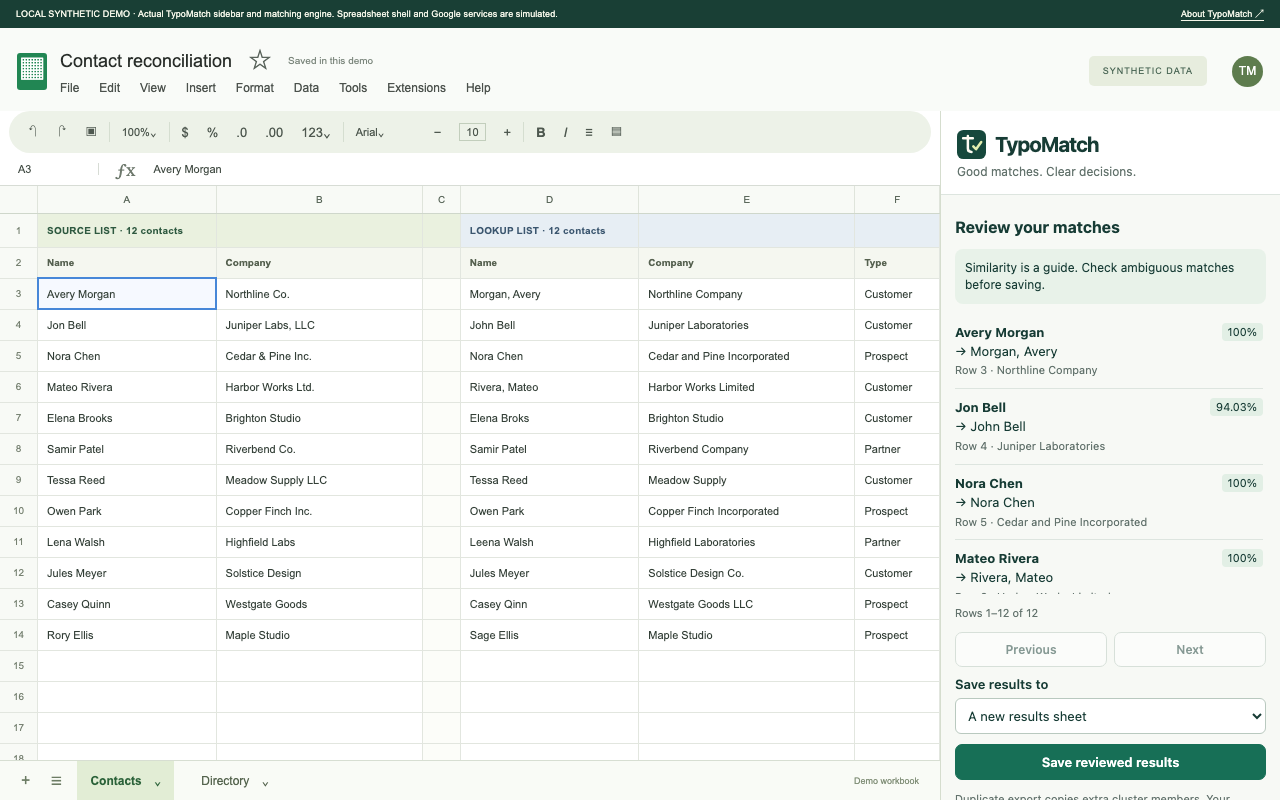
See the review before you save.
Explore TypoMatch’s preview, safe output options and Free/Pro plans.
Explore TypoMatch