
FUZZY LOOKUP · 3 MIN READ
VLOOKUP with typos: fuzzy lookup in Google Sheets
Changing VLOOKUP’s last argument to TRUE will not make it understand misspellings. Exact lookup, wildcard lookup and fuzzy matching solve different problems.
Keep FALSE for an exact lookup
Suppose A2 contains a supplier name. The Directory tab has supplier names in column A and account codes in column B:
=IFNA(VLOOKUP(A2,Directory!$A$2:$B$1000,2,FALSE),"Review")This returns a matching supplier’s code or Review when no exact match is found. Adjust the final row to your data. First check extra spaces, the selected lookup column and whether the name really exists. A helper column can standardize both lists; see the name-matching walkthrough.
VLOOKUP’s approximate mode works with an ascending sorted key column and can return the preceding key when an exact key is absent. It does not calculate spelling similarity. A nearby alphabetical supplier can be the wrong supplier.
Wildcards help only when you know a stable fragment
For a short list, you can deliberately search for a known fragment:
=IFNA(VLOOKUP("*Juniper*",Directory!$A$2:$B$1000,2,FALSE),"Review")This can find a name containing Juniper, but it returns the first matching row. It will not distinguish Juniper Labs from Juniper Logistics or repair a typo in Juniper itself. Inspect the source row before accepting the code. Google’s VLOOKUP documentation explains exact, approximate and wildcard modes.
Use TypoMatch when the spelling itself varies
Once installed, choose Match two lists, pair the supplier-name key columns and choose the account code as a returned column. Select whether to ignore case, accents, punctuation, extra spaces or company suffixes. Start with similarity 86 and inspect the preview before saving.
TypoMatch combines several text-similarity measures and gives you a best candidate, score and review warnings. It can help with typos such as a missing letter, but a high score does not confirm identity. Add another key when available. Save results to a new sheet or added columns; the lookup table remains unchanged.
Need to compare entries within one list instead? Follow the near-duplicate review guide.
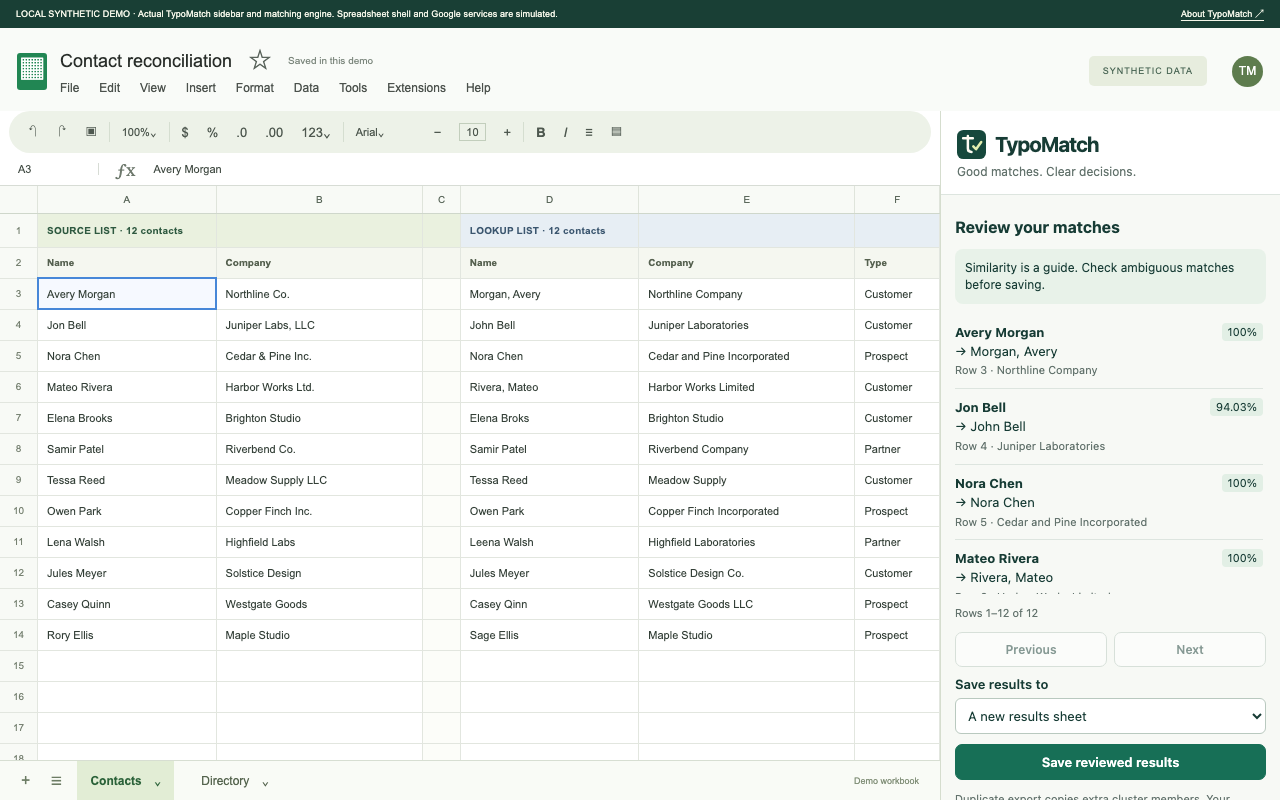
See the review before you save.
Explore TypoMatch’s preview, safe output options and Free/Pro plans.
Explore TypoMatch